

+91-72990-34551
Verix Vault
Verix Vault shield logo Verix Vault

Verix Vault: Backup You Can Trust

Set it once. Sleep well.
Built for Windows PCs and file servers. Designed for simplicity. Engineered for recovery.

Automated backup and recovery software for Windows workstations and file servers. Back up to a local drive, a network share or the cloud, encrypt everything with AES-256, and get your files back in a few clicks - without a backup expert on staff.

  • Windows 10 / 11 & Server
  • AES-256 Encryption
  • Cloud Ready
  • 14-Day Free Trial
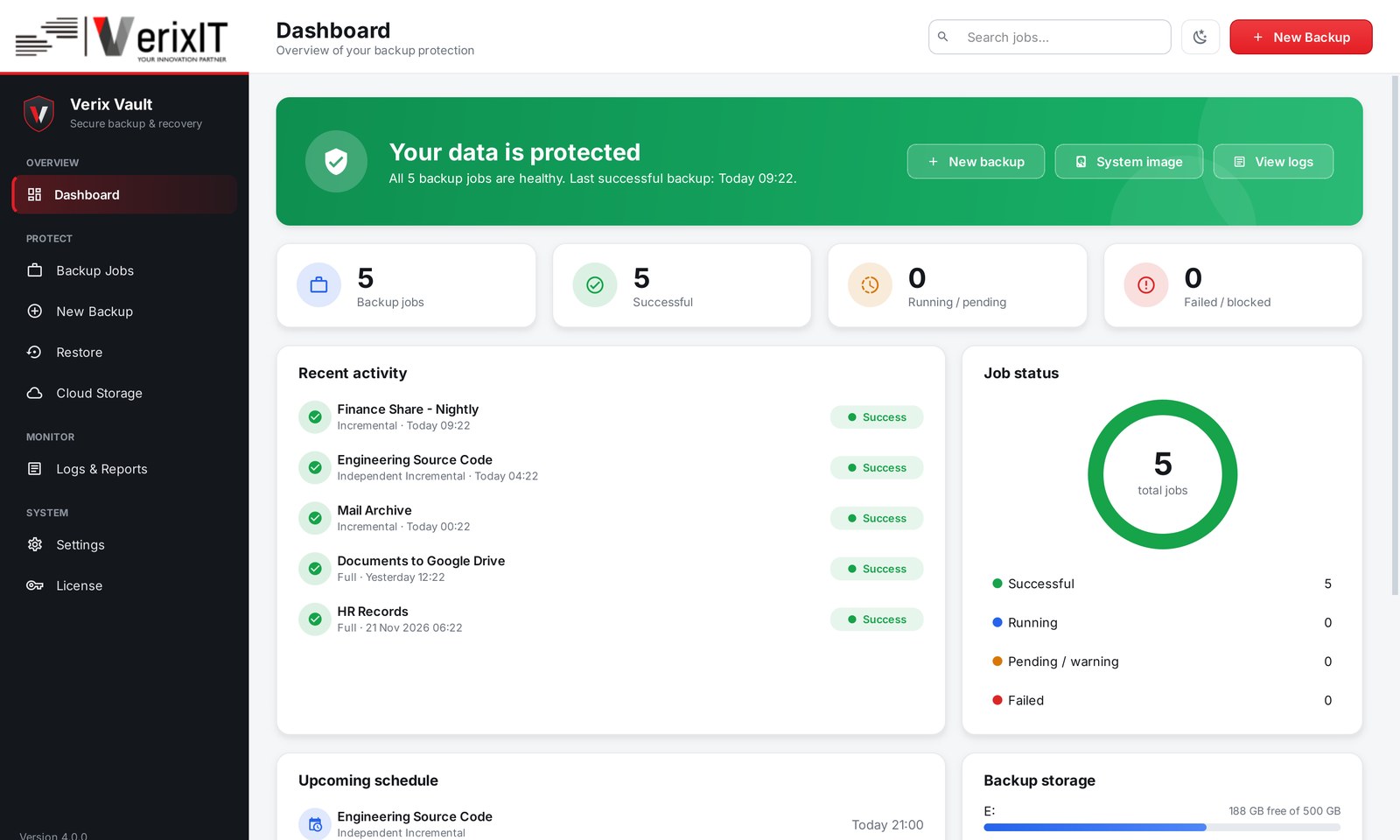
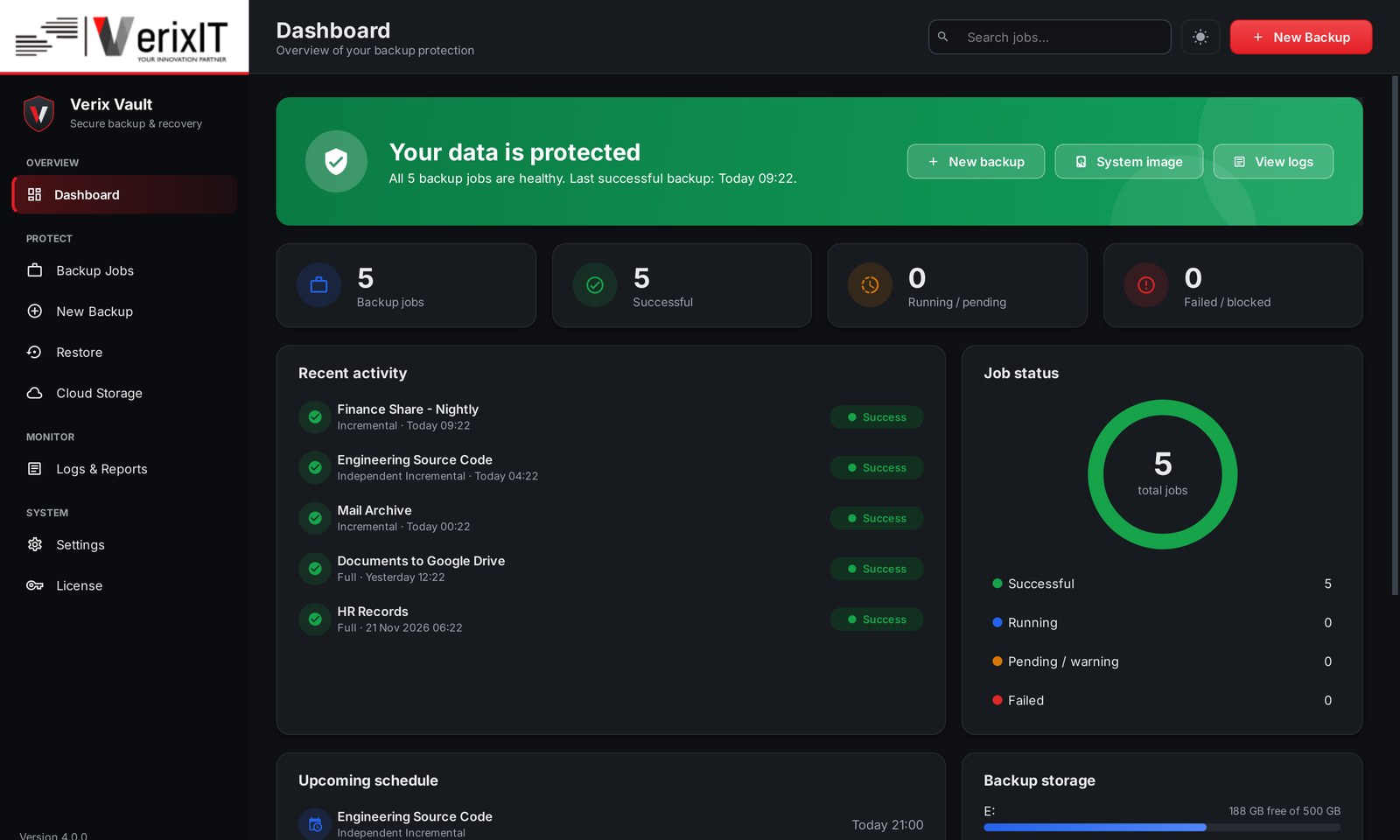
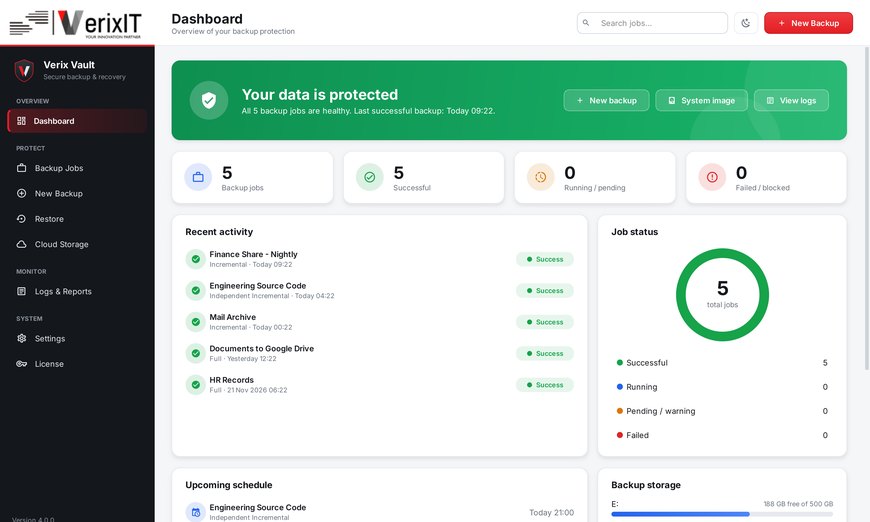
Verix Vault - Dashboard
Verix Vault dashboard showing all backup jobs protected
Why Verix Vault?

Backups Fail When Nobody Is Watching

Most backups don't fail loudly. A drive gets unplugged, a job quietly stops, a restore is tried for the first time on the worst day of the year. Verix Vault is built around that reality: it runs in the background as a Windows service, tells you in plain language when something needs attention, and checks its own backups so you know they will actually restore.

Stop hoping your backups work.
Start knowing they do.

Core Features

How Verix Vault Protects Your Business

Everything you need for dependable backup, without the complexity

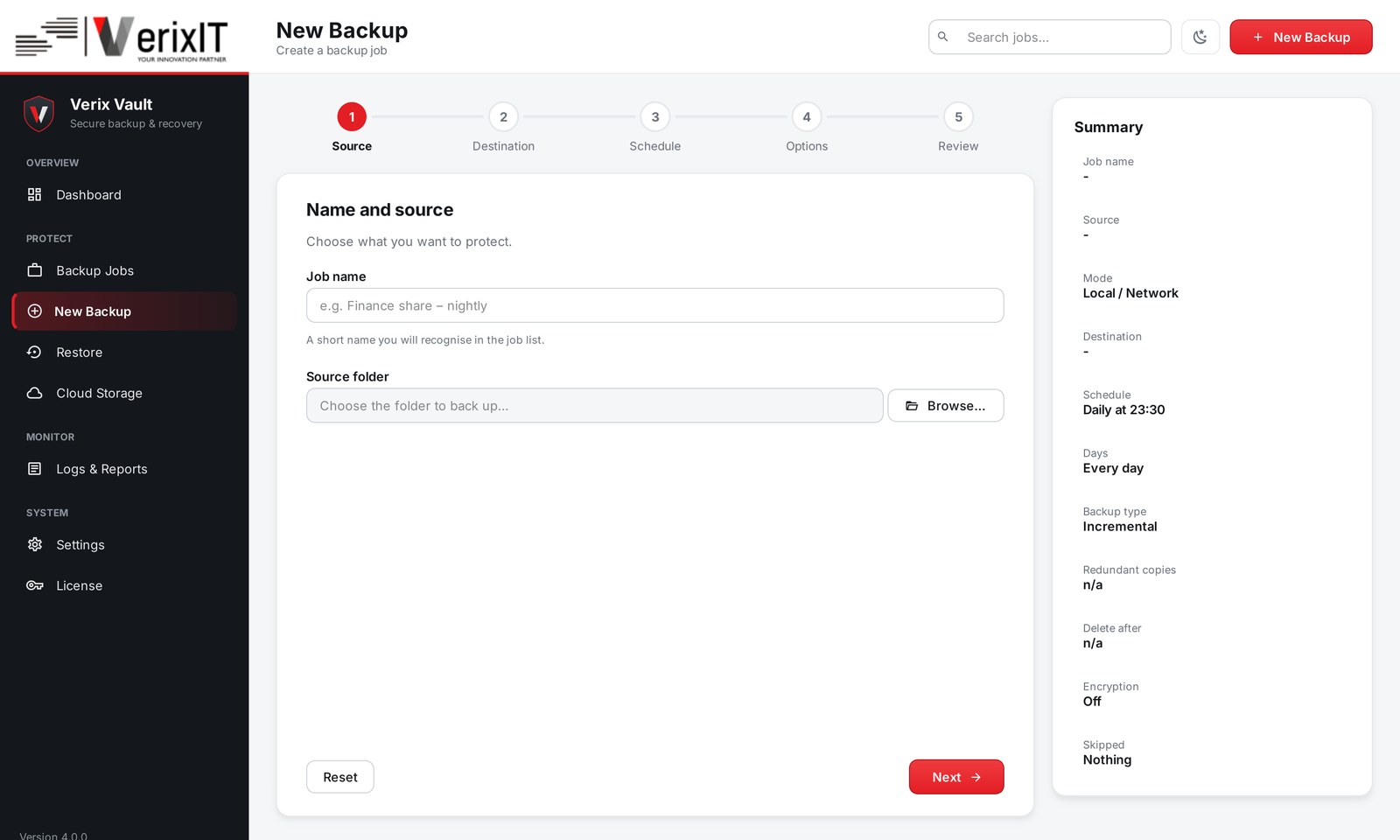
Verix Vault New backup wizard screen

1. Set Up in Minutes

A five-step wizard - Source, Destination, Schedule, Options, Review. A Quick Start preset protects your Documents folder nightly with safe defaults in one click.

  • Quick Start: Documents, nightly at 21:00
  • Hourly, daily, weekly and monthly schedules
  • Missed backups catch up automatically
  • Runs as a Windows service - no one has to be logged in
  • Edit any job later, with a clear summary before saving
Result: Protected in minutes, not days
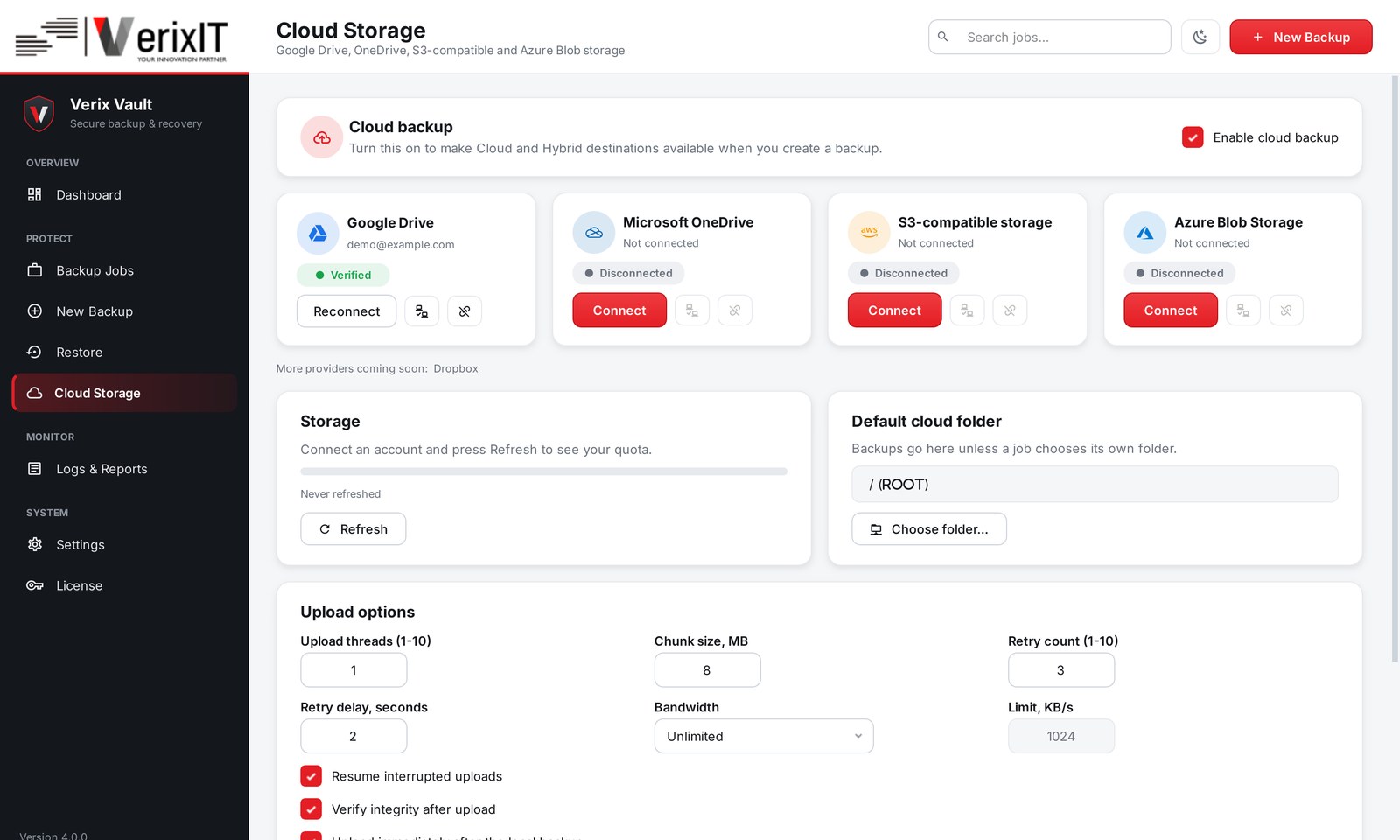
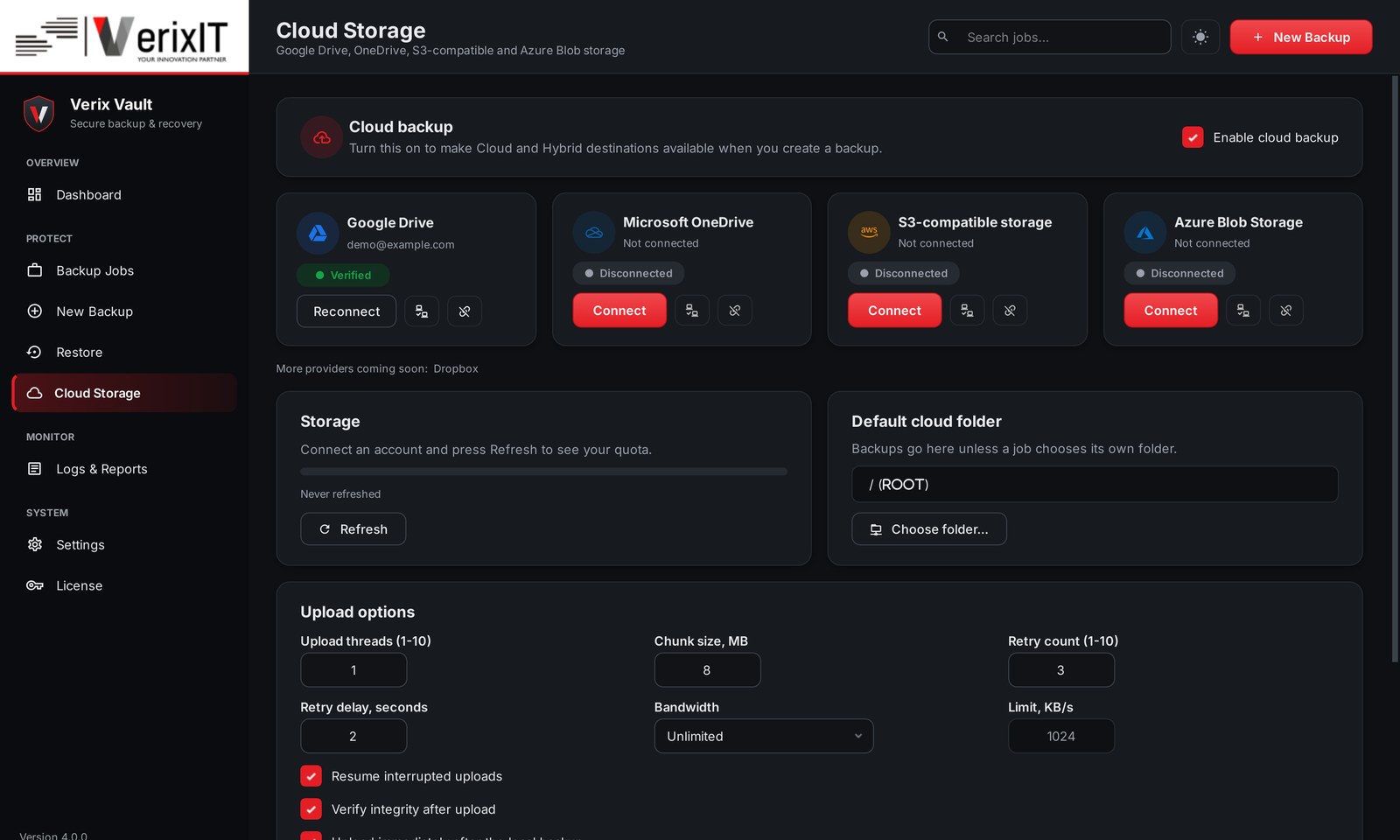
Verix Vault Cloud storage screen

2. Back Up Anywhere

Send backups to the place that suits you - and combine them for the 3-2-1 rule.

  • Local and external drives
  • Network shares (NAS / file server) with saved credentials
  • Google Drive and Microsoft OneDrive
  • S3-compatible storage (AWS S3, Backblaze B2, Wasabi, MinIO) Beta
  • Azure Blob Storage Beta
  • Hybrid: local copy plus cloud copy in one job
Result: Your data lives in more than one place
Verix Vault shieldAES-256-GCM

3. Security That's On By Choice

Encrypt backups before they leave your PC - for local, network and cloud destinations.

  • AES-256-GCM authenticated encryption
  • Your passphrase plus a printable recovery key
  • Tamper detection: a changed byte is caught, not silently restored
  • Cloud providers only ever receive encrypted files
  • Immutable ("locked") cloud storage supported on S3 and Azure
  • Optional compression to save space
Result: Only you can read your backups
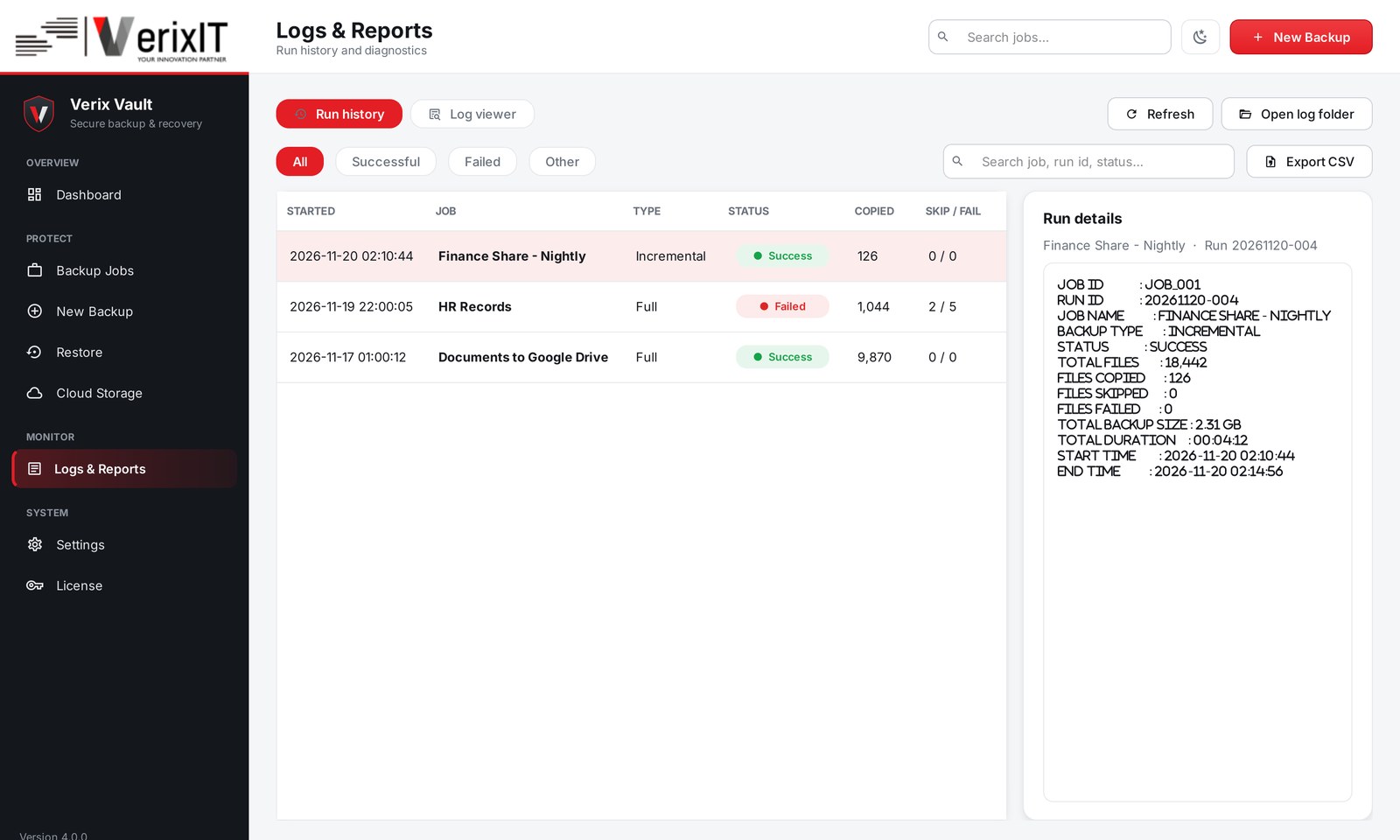
Verix Vault Logs & reports screen

4. Backups That Are Checked

A backup you have never tested is a guess. Verix Vault tests itself.

  • Automatic sample check after every successful run
  • Full verify on demand, with SHA-256 comparison to the original
  • Open files (Outlook, databases, documents in use) backed up through Windows shadow copy (VSS)
  • Plain-language "Needs attention" list with what to do next
  • Pop-up alerts, email, Microsoft Teams, Telegram and webhook notifications
  • Windows Event Log entries for your monitoring tools
Result: Know your backup works before you need it
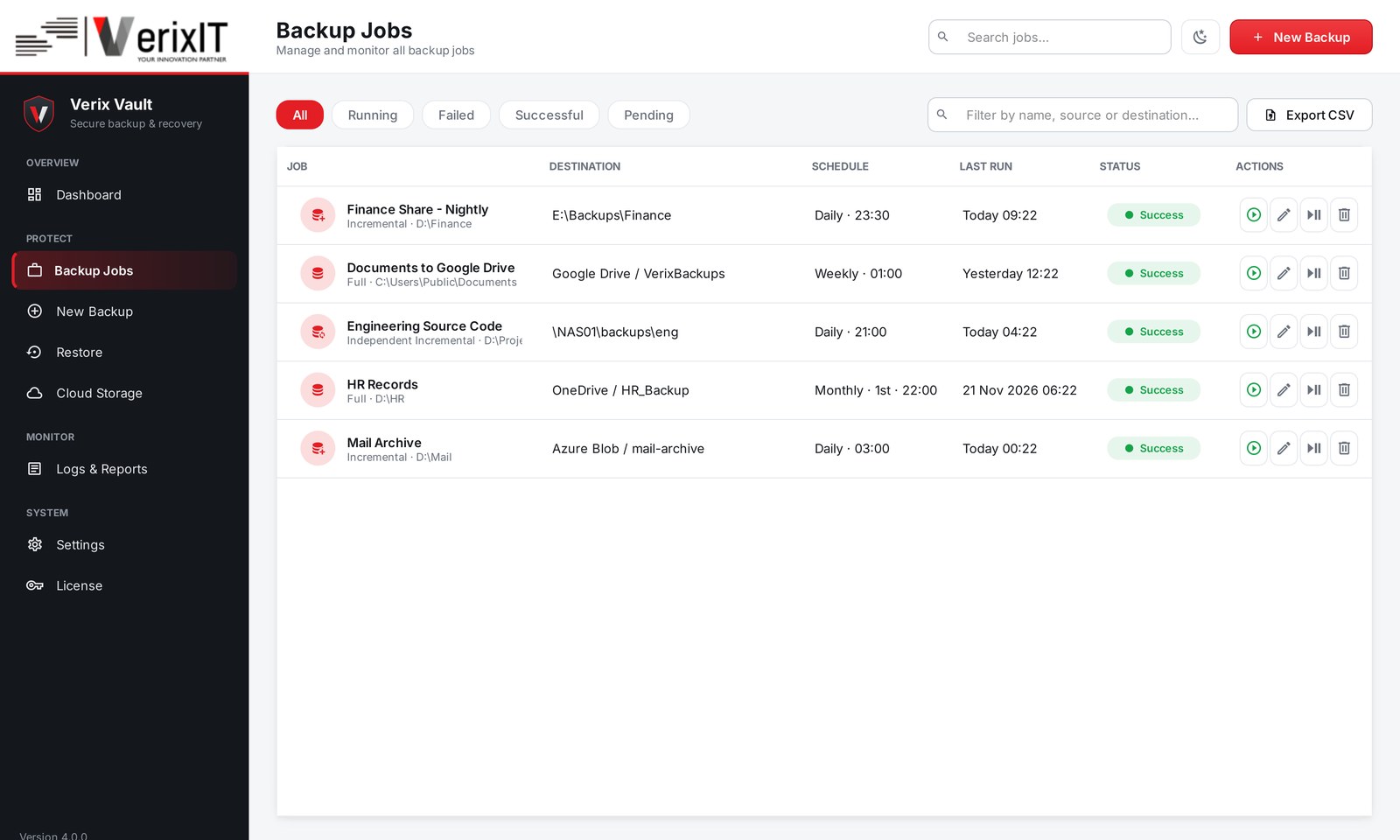
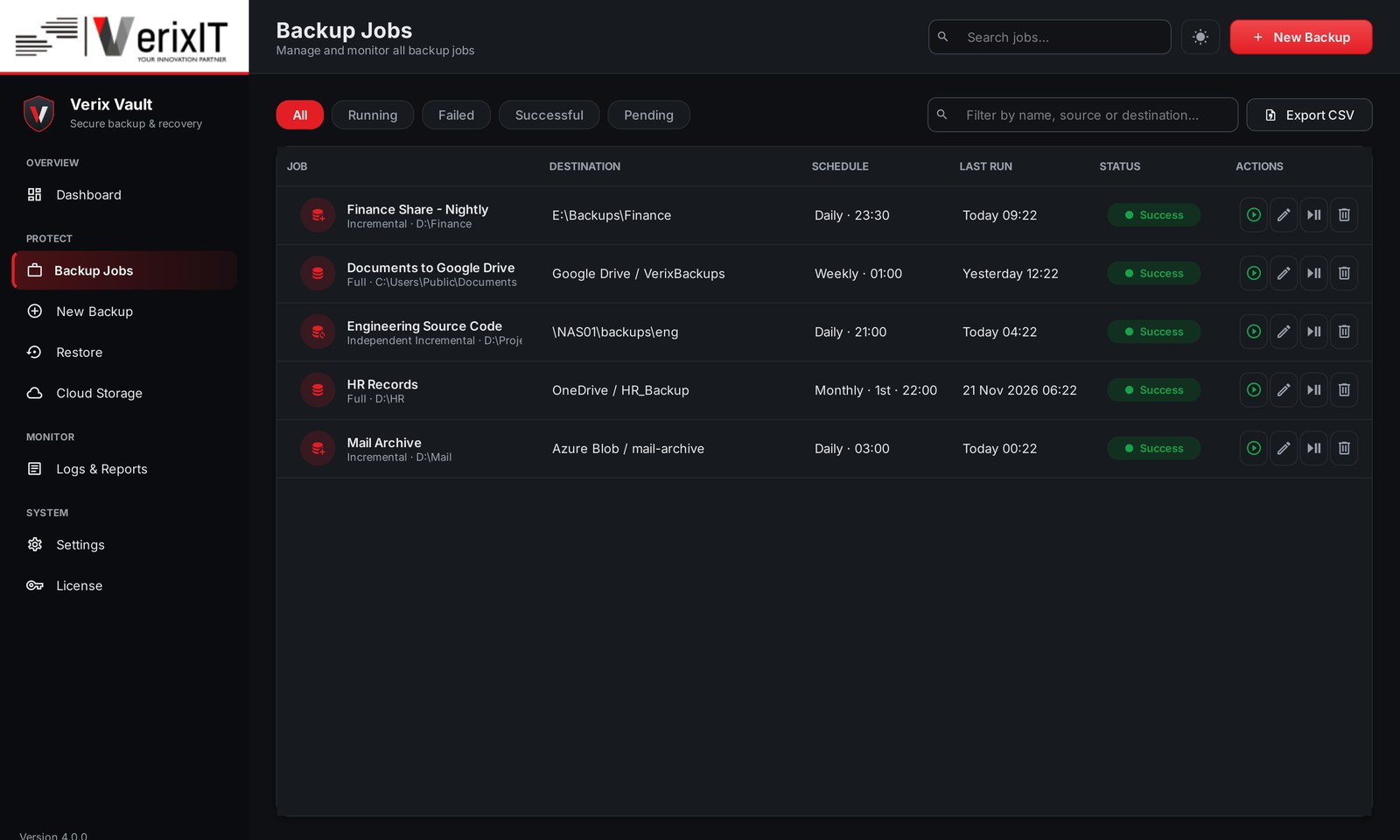
Verix Vault Backup jobs screen

5. Smart Storage Management

Keep what matters, without filling the drive.

  • Keep by number of copies and/or by days
  • Full + incremental chains with a new full backup every N days
  • Skip rules: temp files, Office lock files, node_modules, Recycle Bin and your own patterns
  • "Preview" what will be skipped or cleaned up before it happens
  • Old sets are only removed after a successful run, and the newest good backup is always kept
Result: Predictable storage, no surprises
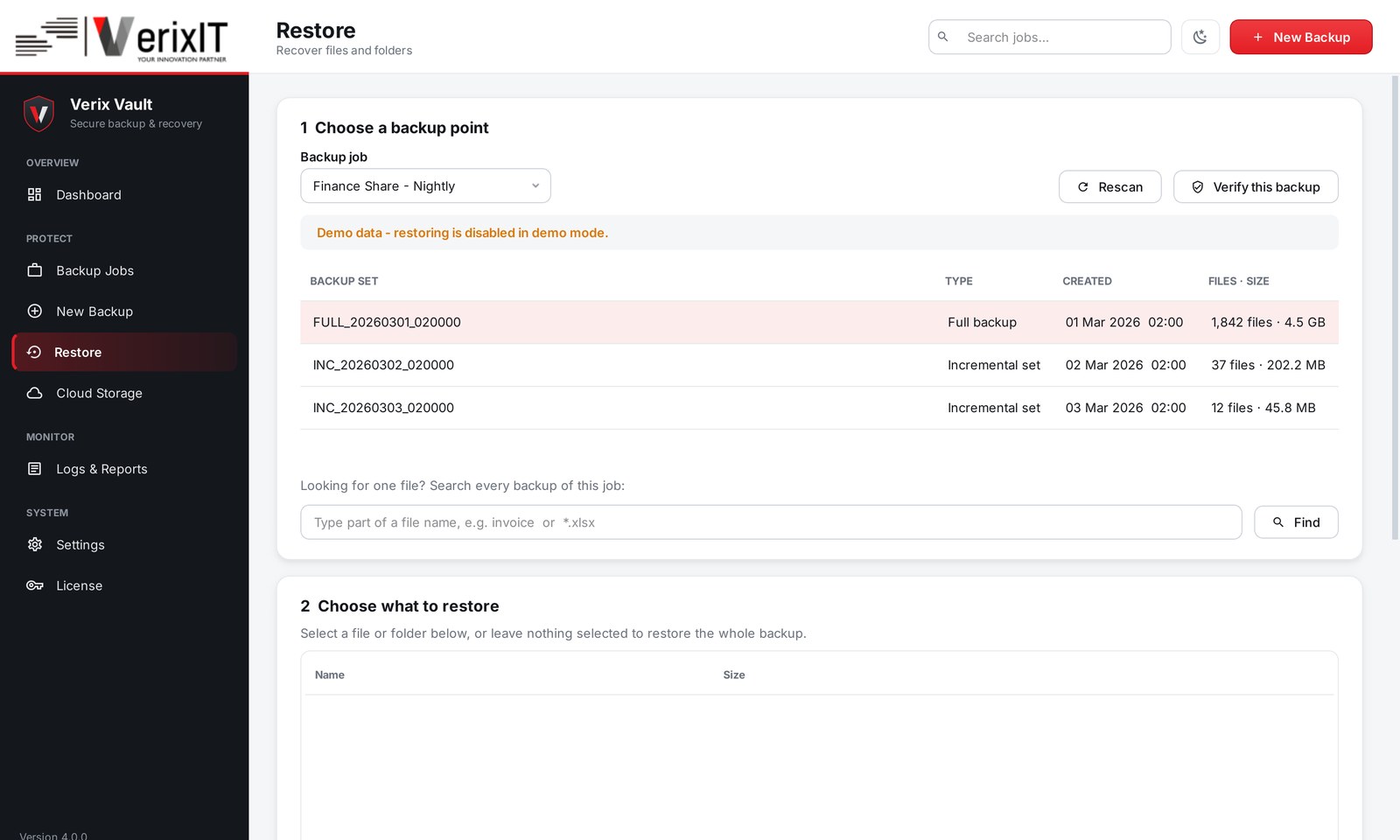
Verix Vault Restore screen

6. Restore Without Panic

Getting data back should be the easy part.

  • Browse every backup point; restore the whole job, a folder or a single file
  • Search for a file across all backups ("invoice" or *.xlsx)
  • Restore to the original place or any other folder, with skip / rename / overwrite choices
  • Restore straight from cloud backups, including encrypted ones
  • Open an encrypted backup on another PC with the passphrase or recovery key
Result: Back to work in minutes
Capabilities

Complete Protection, Layer by Layer

Files, systems and servers - from one simple console

Full backup

Complete copy every time

Incremental backup

Only what changed since the last run

Full + Incremental sets

A full backup with its own incrementals, restorable independently

Retention policies

Keep by copies and by days

Exclusions

Skip files and folders by name, type or path

Pre / post scripts

Run your own batch or PowerShell step before and after a backup (administrator-controlled folder)

Run conditions

Only on AC power, only when the backup drive is connected

Monthly schedule

Any day 1-31 or the last day of the month

System Image backup is in final validation and will be released soon. The capabilities below are on the way.
Whole-drive images

Image of the system drive as a set of Full / Incremental / Differential images

Recovery USB / ISO

Guided console restore wizard

Flexible restore

Restore a full machine, a folder, or single files from an image

Image destinations

Local, external or network share, with optional encryption

Windows Server system state

System-state backup for servers (wbadmin)

Cloud

Google Drive, OneDrive, S3-compatible and Azure Blob (S3 and Azure in beta)

Resumable uploads

Retry, bandwidth limit and integrity check

Dashboard

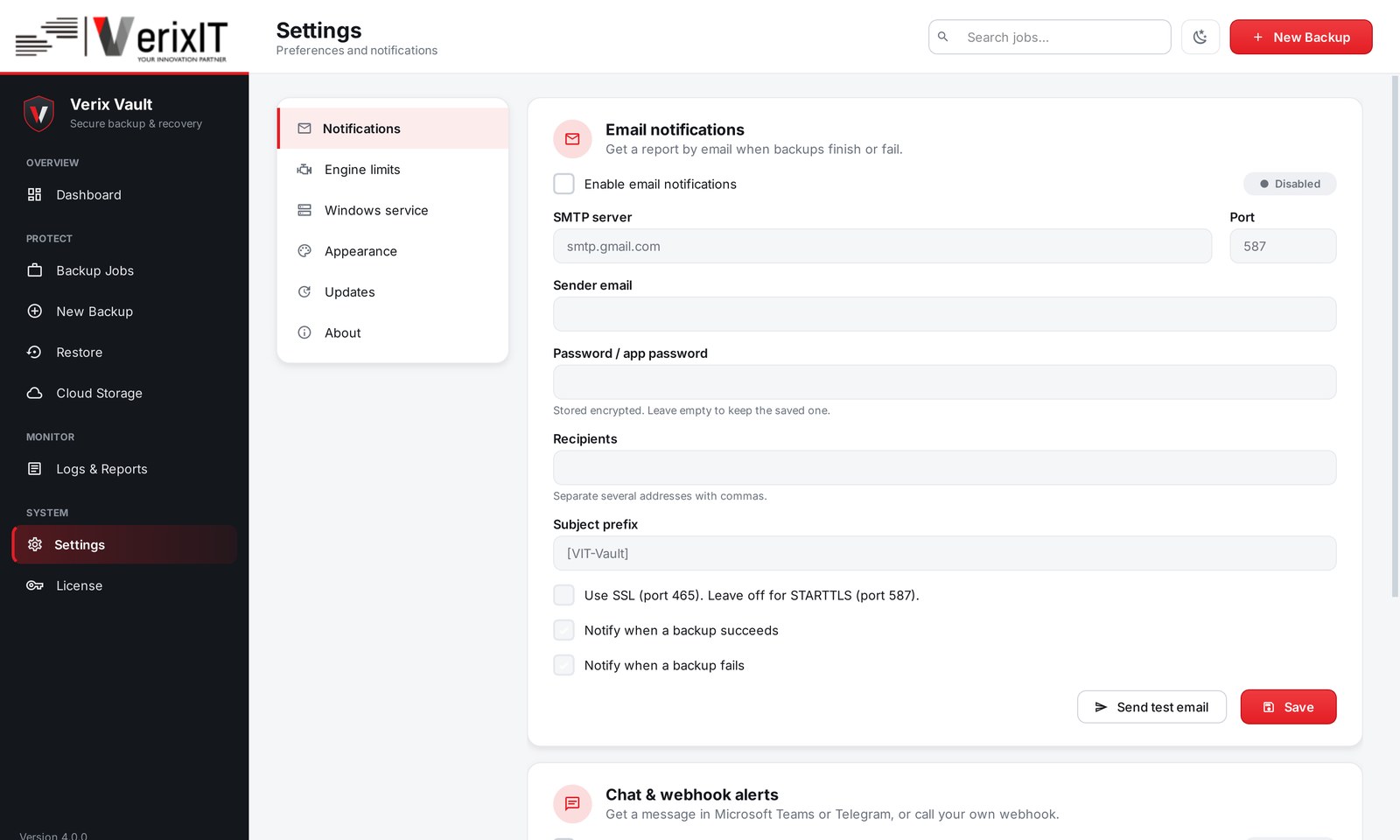
Protection status at a glance, recent activity, upcoming schedule, storage left

Logs & Reports

Run history and one-click CSV export

Command line

status, list, run with JSON output for scripts

Light and dark themes

Tray icon, single-click "Run now" / pause / resume

Automatic updates

With signed installers

Every backup is a promise. Verix Vault is how you keep it.

6
Backup destinations

Local, network, Google Drive, OneDrive, S3 and Azure

AES-256
Encryption

Authenticated, with recovery key

5 steps
To your first backup

Source → Destination → Schedule → Options → Review

14 days
Free trial

All features included

Transformation

Before vs After Verix Vault

See how backup stops being a worry

Before Verix Vault

Manual, uncertain, unmonitored

Copy-paste to a USB driveDepends on someone remembering
No idea if it workedFailures go unnoticed for weeks
Locked files skippedOutlook and databases left out
Restore never testedFound out the hard way

After Verix Vault

Automated, verified, encrypted

Scheduled, hands-freeRuns as a Windows service
Checked every runSample verification and clear alerts
Open files includedShadow-copy backup of files in use
Restore in a few clicksSearch, pick, restore
Who Should Use Verix Vault?

Built for Businesses That Can't Lose Data

Small & Medium Businesses

Protect accounts, documents and mailboxes without hiring a backup specialist

Accounting & Finance Teams

Nightly encrypted copies of ledgers and shared finance folders

File Servers & NAS

Back up shared folders with open-file support and retention rules

Engineering & Design Studios

Large, fast-changing project folders with incremental sets and node_modules-style exclusions

IT Service Providers & MSPs

Standard, scriptable backup you can deploy and monitor for clients (CLI, Event Log, webhooks)

Clinics, Law Firms & Offices

Encrypted, verifiable backups with an audit trail in the logs

Security & Trust

Your Data. Your Keys.

Encrypted before upload

Cloud providers never see readable files.

Your keys stay yours

Passphrase plus recovery key. VerixIT never holds them.

Credentials protected

Cloud sign-ins and network passwords are stored with Windows data protection.

Safe by design

Retention only deletes after a successful run, and never removes the newest good backup.

FAQ

Questions We Hear Often

Which Windows versions are supported?

Windows 10 and 11 for workstations, and Windows Server for file servers.

Where can I store my backups?

Local or external drives, network shares, Google Drive, OneDrive, S3-compatible storage (AWS S3, Backblaze B2, Wasabi, MinIO) and Azure Blob Storage - or a local plus cloud combination. S3-compatible and Azure Blob storage are currently in beta.

Do backups run if nobody is logged in?

Yes. Schedules are run by a Windows service.

What if I lose my passphrase?

Use the recovery key you saved when you created the job. Without the passphrase or recovery key, encrypted backups cannot be opened by anyone - including us.

Can it back up files that are open?

Yes, through Windows shadow copy (VSS) when the app or service runs with administrator rights.

Can I restore on a different PC?

Yes. Encrypted backups carry a key file; with your passphrase or recovery key they can be opened elsewhere.

Is there a free trial?

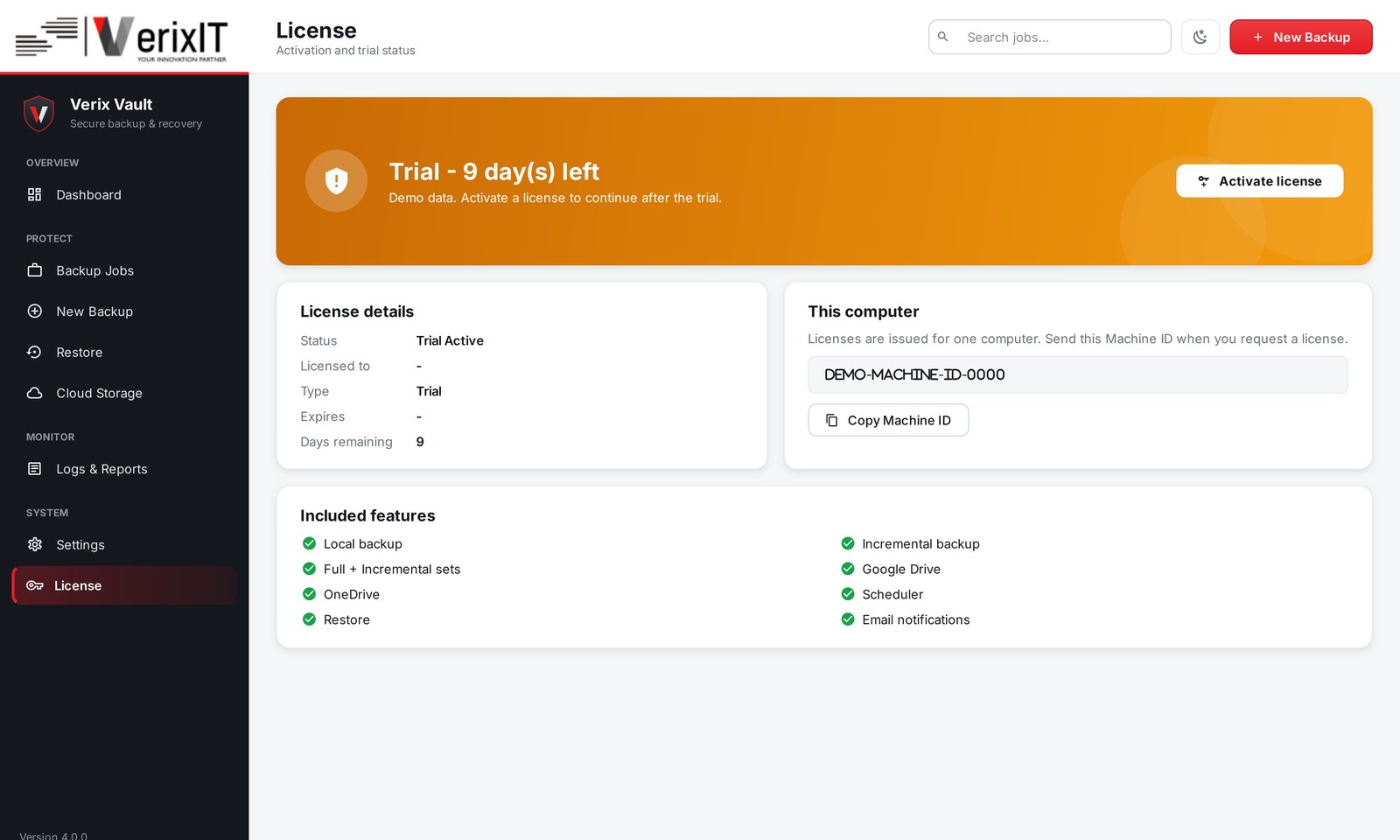
Yes, 14 days with all features. Contact us for pricing.

Do I need the cloud?

No. Local and network backup work on their own.

Ready to Stop Worrying About Your Data?

Whether you protect one PC or a whole file server, Verix Vault keeps your backups automatic, encrypted and verified - so a failed drive, a ransomware scare or a deleted folder is an inconvenience, not a disaster.

Built and supported by the VerixIT team · support by email, phone and WhatsApp · contact us for pricing
Chat on WhatsApp